

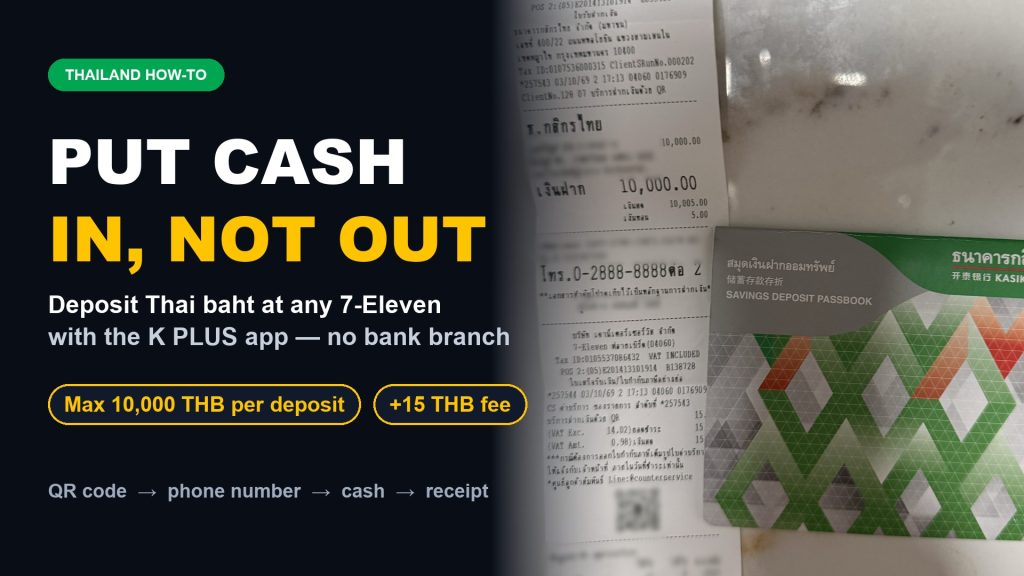

We’re all used to taking cash out of an ATM. But what if you need to put Thai baht into your bank account? You could find a branch, or one of the few ATMs that take deposits. If you bank with Kasikorn (KBank), there’s an easier way: any 7-Eleven or Mini Big C, using the K PLUS app. I just did it myself and it took a couple of minutes.
What you need to know
- Limit: up to 10,000 THB per deposit.
- Fee: 15 THB per deposit, paid in cash at the counter. It’s charged on top of your deposit, not taken out of it, so bring the extra 15 THB.
- Where: any 7-Eleven or Mini Big C.
Step by step
- Open the K PLUS app and tap Deposit.
- Choose Service Partner, then pick the store you’re at (7-Eleven in my case).
- The app shows a QR code. Show it to the cashier. They do this all the time and know what to do.
- Type your phone number on the card terminal and press Enter.
- Check the short confirmation screen and press Enter again.
- Hand over your deposit plus the 15 THB fee.
- The cashier gives you a receipt. Keep it as proof of the deposit. You’re done.
Tip: If you need to deposit more than 10,000 THB, do it as several separate transactions. Each one has its own 15 THB fee.
That’s it, and no trip to the bank. Let me know if you’ve tried it, or if another bank’s app does something similar!
Read this next
If this was useful, these are the pages I’d read next.
Money
- Depositing Cash at 7-Eleven
- Opening a Thai Bank Account
- Mobile Banking Apps for Expats
- QR Payments & PromptPay
- ATM Fees in Thailand
- Electricity, Water & Paying Bills
More from the blog
Was this useful?

 ไทย
 中文
 Русский
 한국어
 Deutsch
 Français